Connecting to Spaces
How you work with others in your Space
You can connect to Spaces you created or Spaces shared with you by your team members. You connect to Spaces using the same secure technology that you already use to access machines anywhere.
Connecting to Spaces
You can connect to your Spaces using the terminal or your favorite IDE. Let's describe how PairSpaces secures your Spaces when you access them.
PairSpaces uses the same Secure Shell (SSH) technology that you're familiar with when connecting to Cloud Spaces. To update your SSH configuration file with the Spaces you can access use pair spaces list.
Terminal
When you use the PairSpaces CLI to access your Space with pair spaces connect SPACE_NAME, the PairSpaces CLI uses your Keys (created using pair keys create) to create a SSH session and provides the same features that you expect from SSH - secure remote access, agent forwarding, secure copy, secure FTP, port forwarding, etc.
The command pair spaces connect SPACE_NAME also creates a configuration entry in your SSH configuration file if you haven't run pair spaces list.
IDE
Spaces work with any IDE that can create SSH sessions using the SSH configuration file on your computer. For example, VSCode's Remote SSH extension works with any Space included in your SSH configuration file.
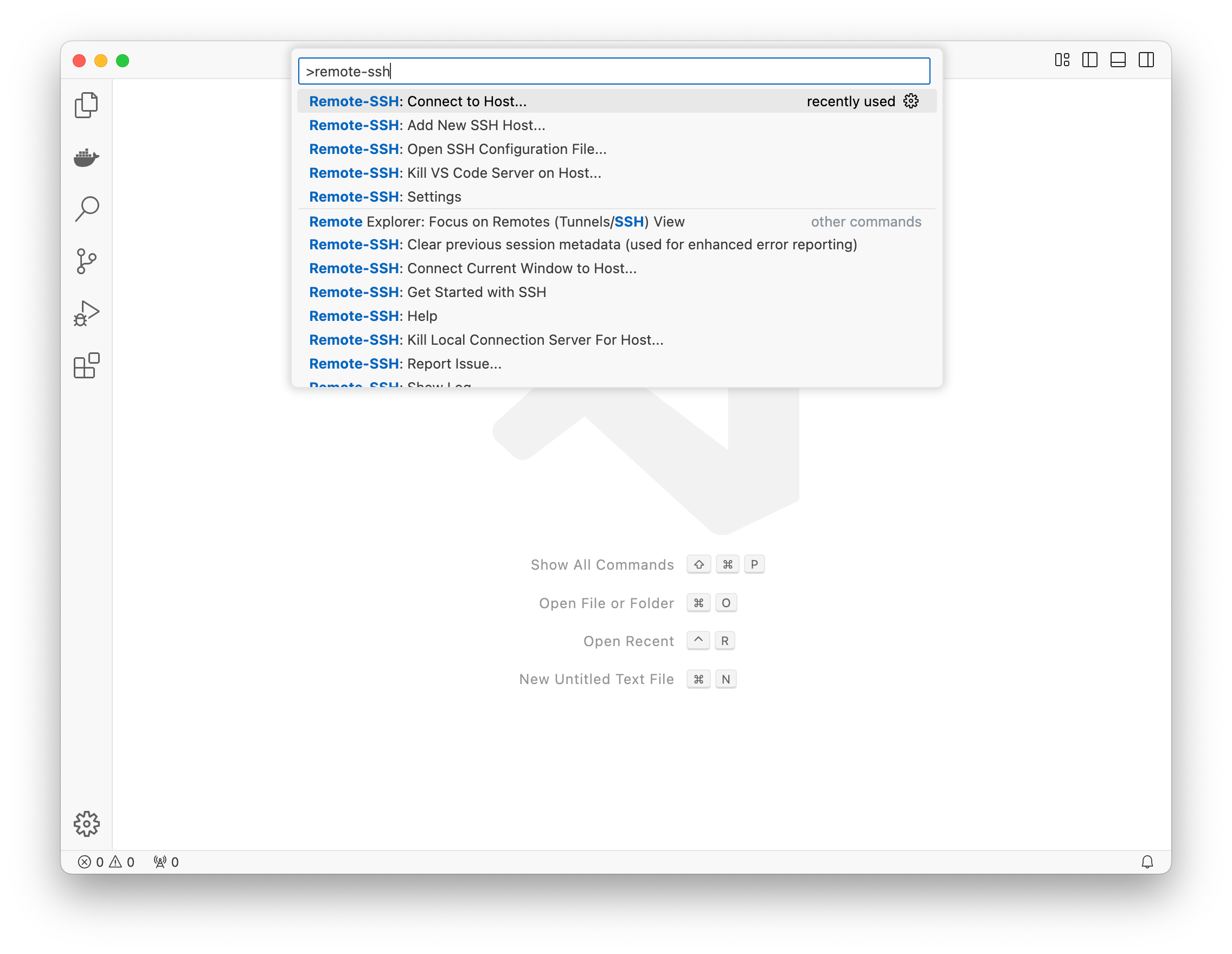
When prompted select the SSH configuration entry labeled with your SPACE_NAME. This configuration entry is created when you run pair spaces list.